
Sense
Available location, motion, HRV, and SOS signals enter the software pathways.

WISAM · safety in the context of a person’s routine
WISAM brings together available location, movement, and other signals. It compares location with a person’s routine and shows caregivers what changed, when the signal arrived, and what needs review.
Functional software prototype · simulated wearable telemetry
Illustrative image; not a WISAM deployment or patient.
The product
WISAM is an AI-supported safety software system designed for people living with dementia and those who care for them.
It does more than show a location. WISAM puts device signals alongside a person’s routine, compares GPS with a personal baseline, and combines available results and safety rules into context a caregiver can review.
Location alone cannot answer these questions:
Current stage: the software path runs from signal ingestion to alerts in demonstration interfaces. Wearable telemetry is simulated today; connecting a physical device is the next technical step.
01 / The problem
GPS can tell you where someone is. It cannot explain whether that place is usual for them, when the last signal arrived, or whether something else changed. WISAM is designed to put those questions in context.

02 / How it works
Each alert follows five simple steps. Signal timing and missing data stay visible throughout.
Available location, motion, HRV, and SOS signals enter the software pathways.
GPS is compared with a person’s usual pattern; HRV can use its own baseline.
Components and safety rules flag a change or request for help that may need attention.
The last update, connectivity, and gaps remain visible so unknown is not mistaken for safe.
The interface presents status and alerts for a person to review and decide what to do next.
The planned wearable experience
A wearable can provide location, movement, heart-rate, SOS, and connection signals. WISAM’s role is to read what is available together, show what changed from the usual pattern, and make interruptions visible.
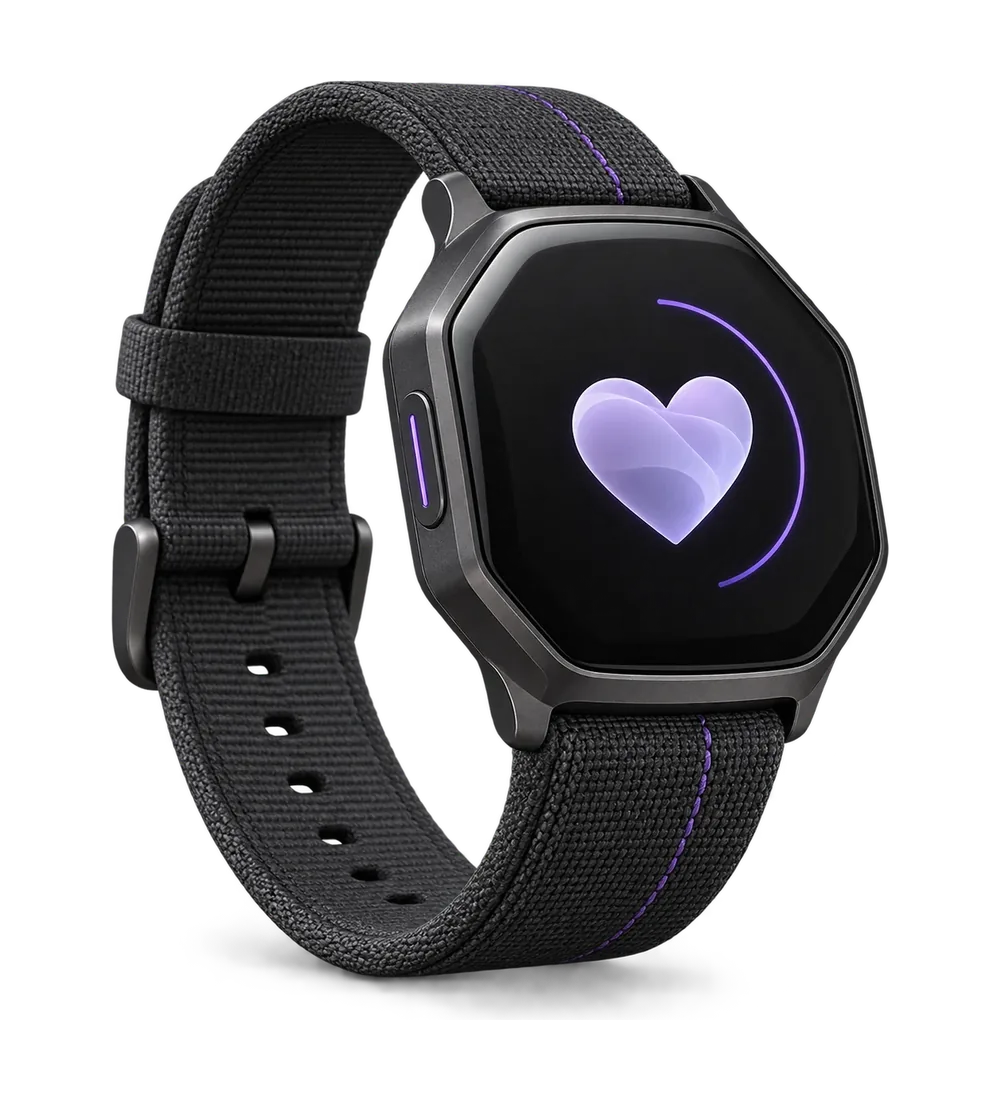
Device signals → comparison with routine → safety checks → caregiver review
What has actually been evaluated?03 / AI and analytics
WISAM does not depend on one reading. Each pathway checks the data it has, then combines results and safety rules into a state a person can review.
GPS examines location, HRV processes beat-to-beat variation, IMU adds movement context, and SOS arrives as a direct safety signal.
GPS compares routes and zones with the person’s pattern. HRV can receive its own baseline; one baseline is not automatically applied to every signal.
Components score the signals they receive. Safety rules check events such as SOS, while stale or missing signals stay visible.
Risk Fusion combines available component scores with safety escalation rules into one state for review.
Available status, alerts, and context reach caregiver and responder interfaces. A person decides on the next step.
04 / The caregiver experience
These real app captures follow the review journey: current status, alert details, then emergency information a responder may need. The screens use demonstration data.
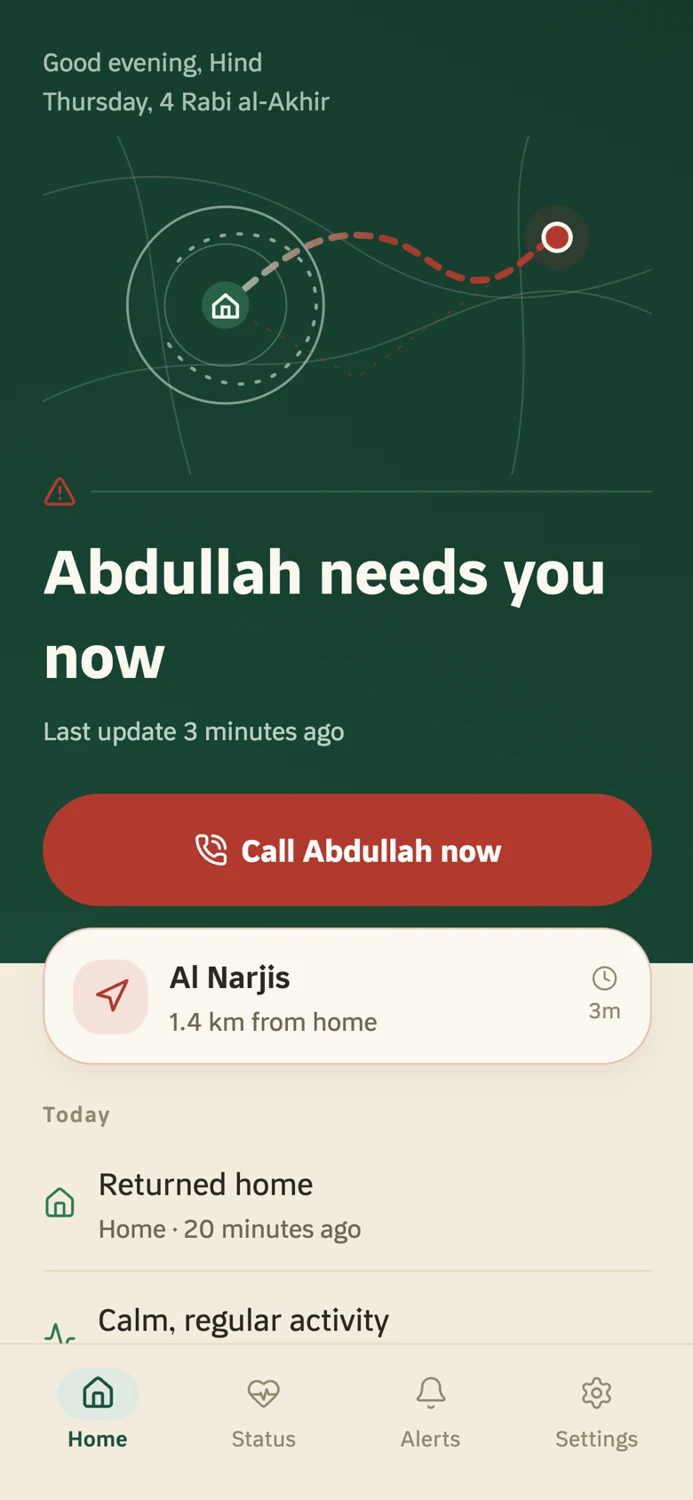
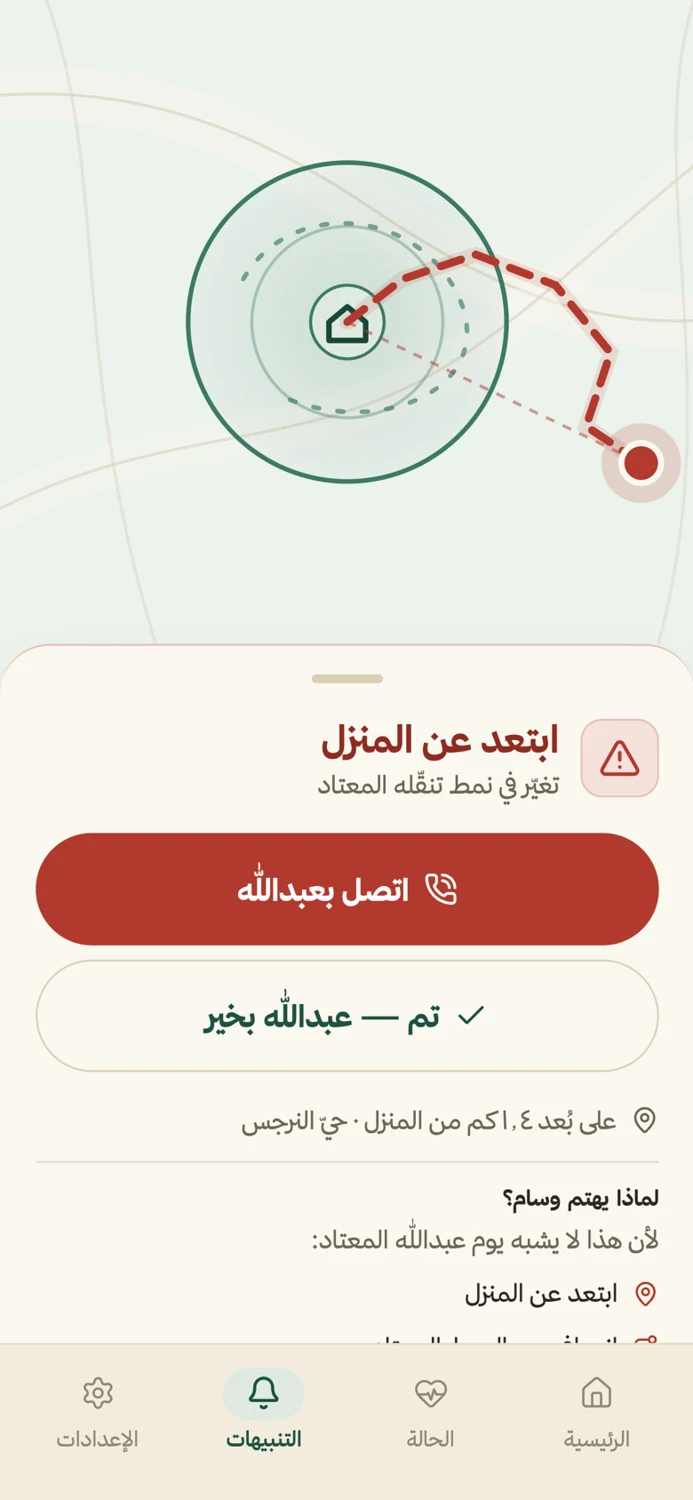
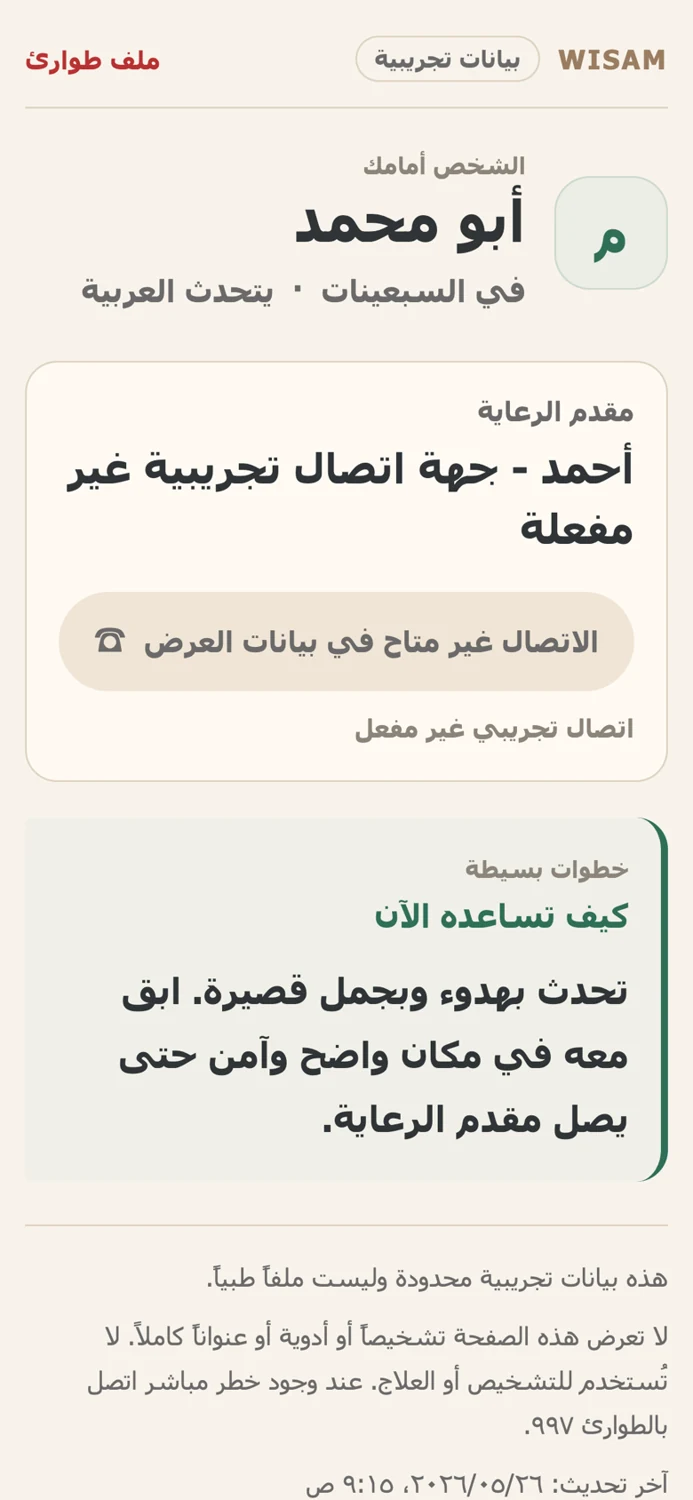
Prototype screens with demonstration data; live location from a physical watch is not connected yet.
05 / When an alert arrives

An at-a-glance view of available status instead of separate signals.
What differed from the usual route, or which request for help arrived?
The last update, connectivity, and gaps in the available data.
Details for review and contact; the software does not decide for the caregiver.
06 / What we tested
The software passed 72 automated tests: 45 for the backend and API, and 27 for AI services. We also evaluated the GPS and HRV components separately on specific tasks using public data.
WISAM / Evidence
Select a category to see what was tested, the result, and the limit of that result.
45 backend/API tests plus 27 AI-service tests, rechecked 7 September 2026. Frontend typechecks are excluded. Engineering test coverage, not clinical or field validation.
GeoLife public mobility trajectories. Heuristic abnormal-route labels; user-disjoint train/test split.
GeoLife contains no dementia wandering labels. These are component proxy-task metrics, not clinical product accuracy or advance prediction.
PhysioNet Apnea-ECG. One-minute sleep-apnea proxy windows; two held-out test records.
General adult sleep-apnea data, not dementia patients; these are proxy-task component metrics, not clinical dementia or apnea diagnosis.
Synthetic scaffold data. Fall and gait pathway feasibility in the software prototype.
The current fall and gait model uses synthetic scaffold data; its synthetic test scores are not public accuracy evidence.Synthetic feasibility only; no proven fall detection or prevention performance.
These are results for specific technical components. See the datasets, methods, and limits on the evidence page.
See the evidence, methods, and limitsThe project roadmap
We are at stage 3 of 6, evaluating technical component evidence. Next come physical-device integration and a controlled pilot to test how the system works with people.
09 / People behind WISAM
The people developing the software prototype and preparing its next technical stage.



Working on wearables or real-world studies?
Explore ways to collaborate


